
Studio
Studio is a browser-based testing environment for your MCP server at cloud.mcpr.app/studio. It connects to your running mcpr proxy and gives you a visual interface for testing tools, previewing widgets, and debugging CSP — without writing curl commands or switching to a different client.
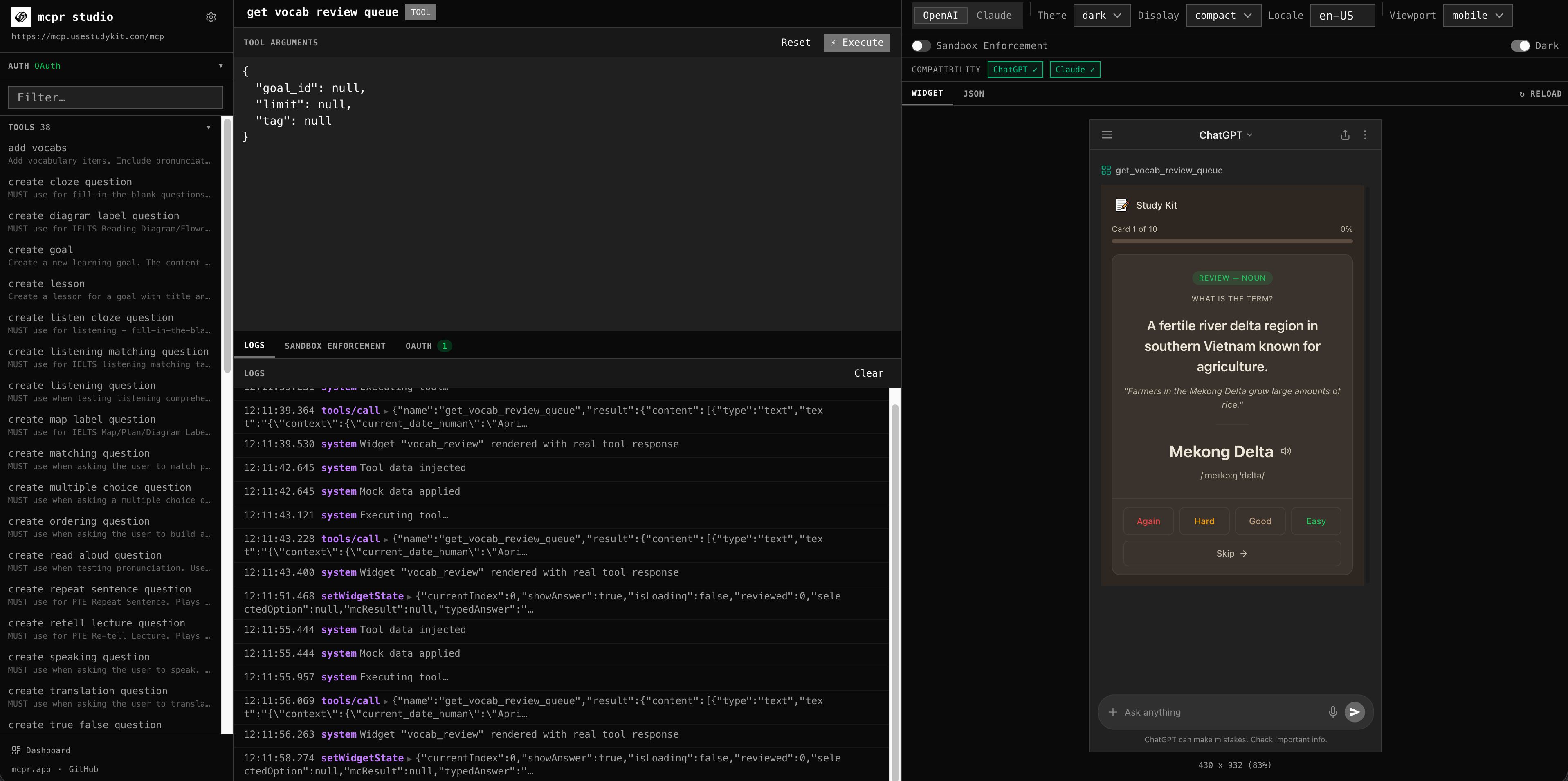
When to use Studio
Section titled “When to use Studio”| Use case | What Studio does |
|---|---|
| Testing tools during development | Discover tools from your live proxy, auto-generated input forms, execute and see full JSON-RPC responses with timing |
| Debugging widgets | Render widgets with production-equivalent CSP enforcement, toggle between ChatGPT and Claude sandbox models |
| Diagnosing CSP issues | Visual breakdown of which CSP rules block which resources, with suggested fixes |
| Reproducing bugs | Replay any tool call from event history against your live proxy |
Opening Studio
Section titled “Opening Studio”When your proxy is running, it prints the Studio URL in the terminal:
Studio: https://cloud.mcpr.app/studio?proxy=https://abc123.tunnel.mcpr.appOr open Studio manually at cloud.mcpr.app/studio and enter your proxy URL.
Features
Section titled “Features”Tool caller
Section titled “Tool caller”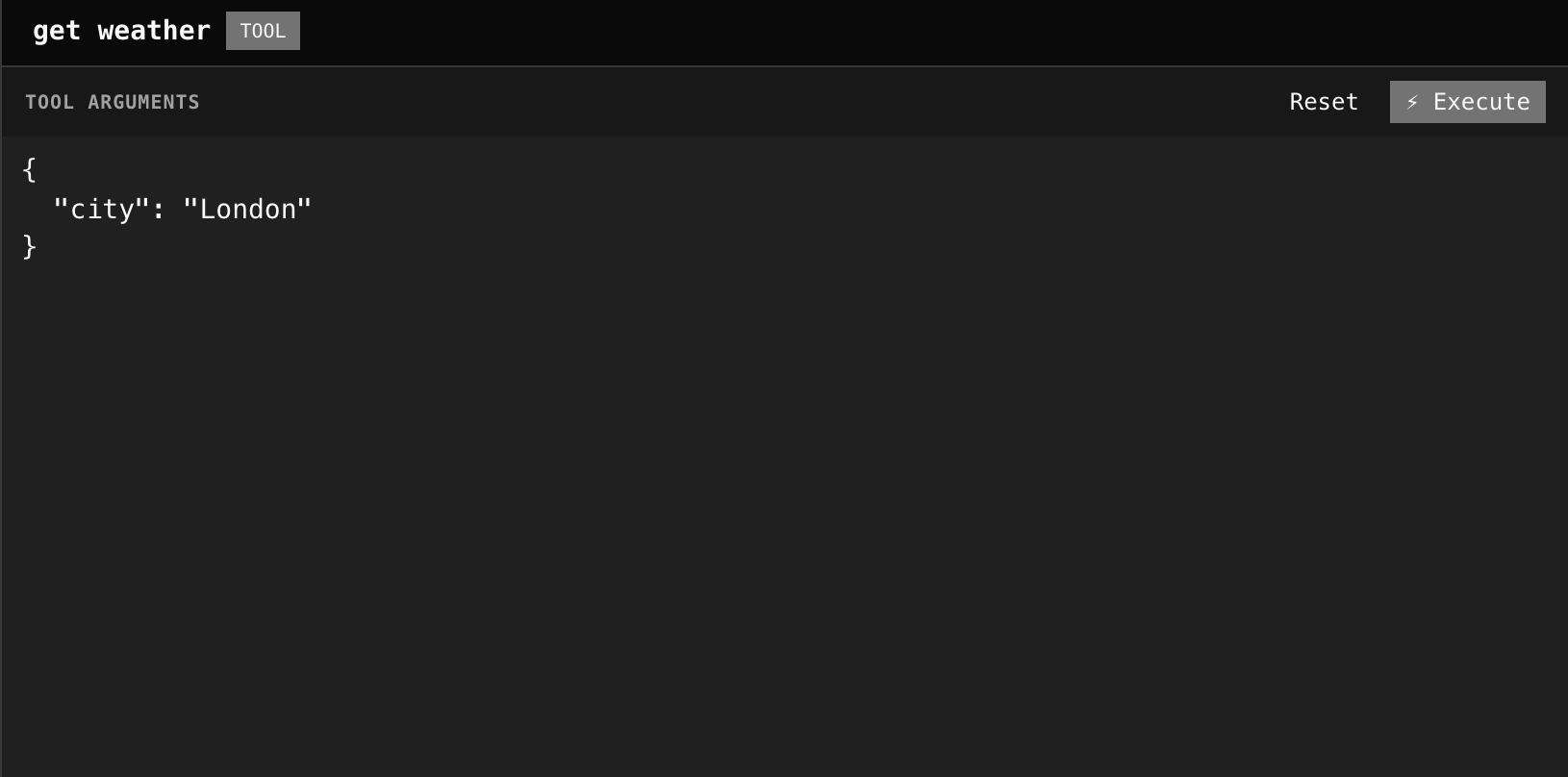
Studio discovers available tools from your live proxy and generates input forms automatically. Execute tool calls and see:
- Full JSON-RPC response
- Timing breakdown (total, upstream, proxy overhead)
- Session context
- Any JSON-RPC errors with error codes
Widget preview
Section titled “Widget preview”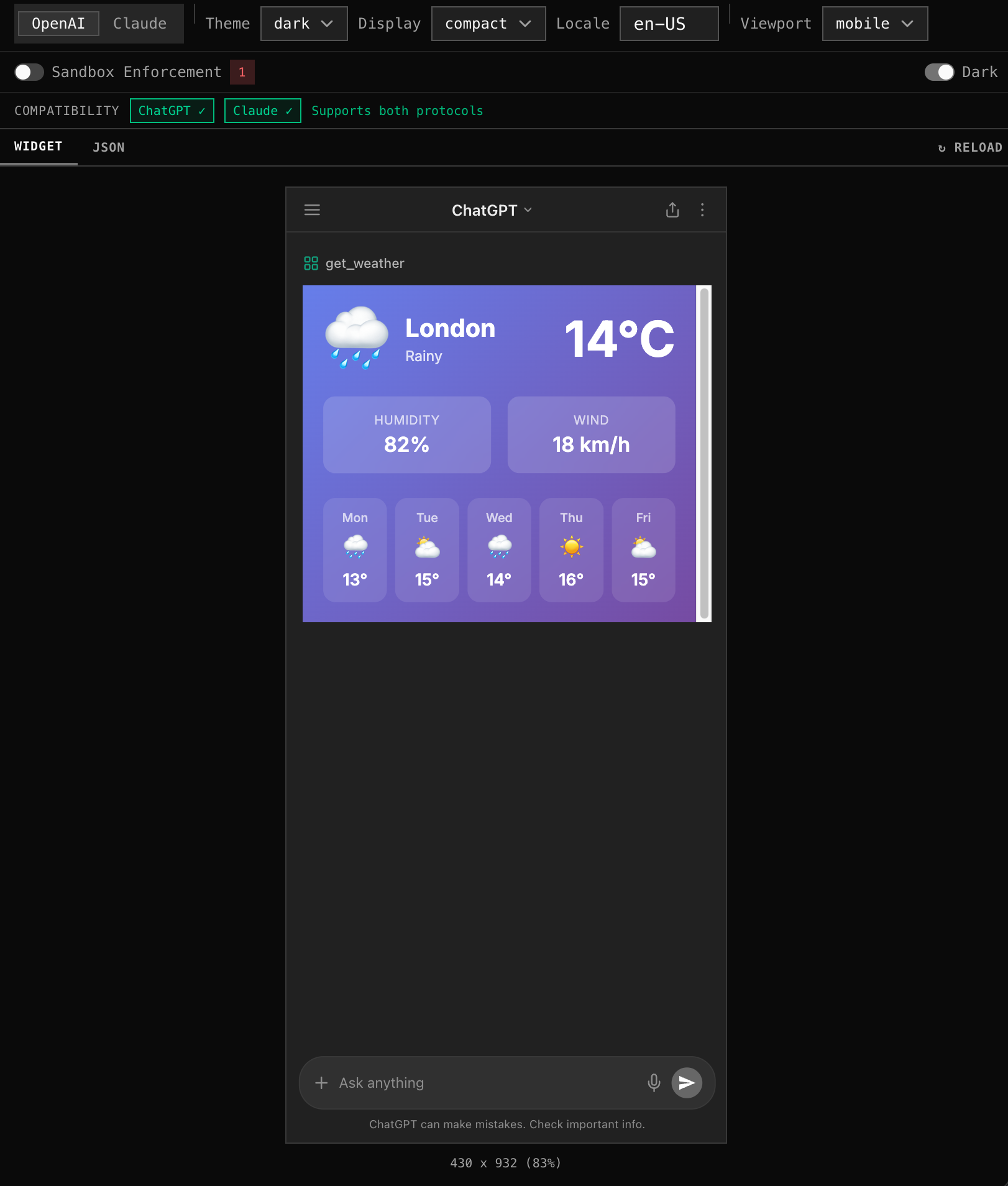
Preview your MCP widgets with production-equivalent CSP enforcement:
- See exactly how your widget renders inside a sandboxed iframe
- Toggle between ChatGPT and Claude sandbox models
- Identify CSP issues before deploying
CSP debugger
Section titled “CSP debugger”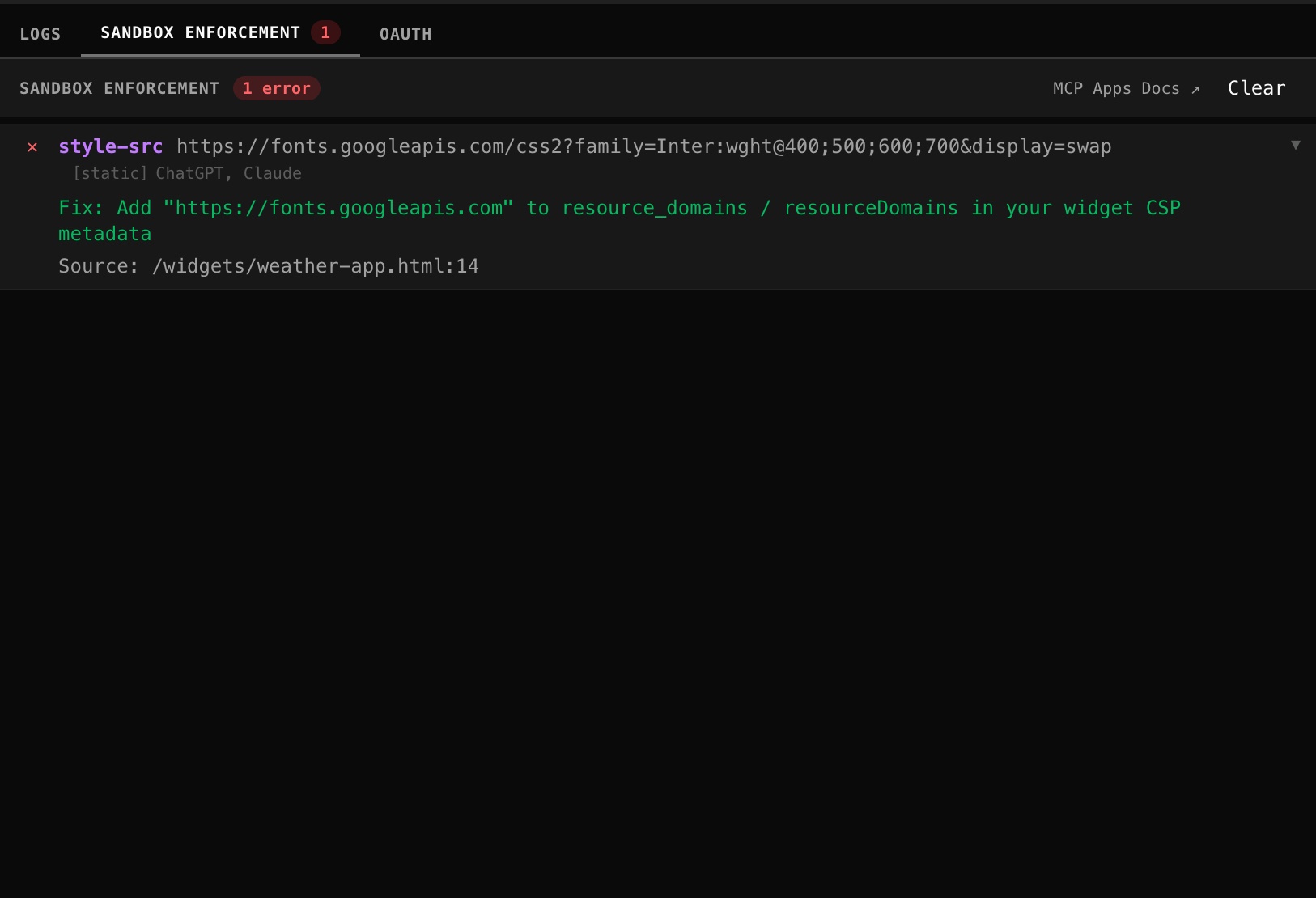
When CSP violations are detected, the debugger shows:
- Which resource was blocked (URL)
- Which CSP directive blocked it (
script-src,connect-src, etc.) - Suggested fix (which domain to add to
connectDomains,resourceDomains, orframeDomains)
Request replay
Section titled “Request replay”Pick any tool call from your event history and re-execute it against your live proxy. Compare results between the original and replayed request. Useful for debugging intermittent failures or testing fixes.
How Studio connects
Section titled “How Studio connects”Studio is a browser-based MCP client — it connects to any MCP server directly, not just mcpr proxies. Enter your MCP server URL in Studio or pass it as a query parameter (?proxy=...).
For same-origin servers (e.g. localhost during development), Studio calls your MCP server directly:
Studio (browser) → your MCP serverFor cross-origin servers (e.g. https://mcp.example.com), Studio automatically routes requests through its own lightweight CORS proxy — a small passthrough endpoint on the mcpr-cloud backend. This is not the mcpr reverse proxy; it’s a simple relay that exists solely to work around browser CORS restrictions.
Studio (browser) → mcpr-cloud /api/mcp-proxy → your MCP serverThis is automatic — no configuration needed.
Why the CORS proxy is needed
Section titled “Why the CORS proxy is needed”AI clients like ChatGPT and Claude call MCP servers server-side — no browser, no CORS restrictions. Studio runs in the browser, so cross-origin requests are subject to CORS.
The MCP Streamable HTTP transport requires the client to read mcp-session-id from the initialize response header and include it in all subsequent requests. Browsers only expose response headers listed in Access-Control-Expose-Headers. Most MCP servers (and CDNs like Cloudflare) don’t include mcp-session-id in that list, so the browser silently hides it.
Without the session ID, the server rejects every request after initialization: “Unexpected message, expect initialize request”.
The CORS proxy makes the request server-side, reads mcp-session-id from the upstream response, and returns it to the browser as a readable header.
What the CORS proxy forwards
Section titled “What the CORS proxy forwards”The proxy does not inspect or modify the JSON-RPC body. It only forwards headers:
| Direction | Headers |
|---|---|
| Request → upstream | Content-Type, Accept, Authorization, mcp-session-id |
| Upstream → browser | Content-Type, mcp-session-id, WWW-Authenticate |
Requirements
Section titled “Requirements”- A reachable MCP server URL (localhost, tunnel, or public)