
Quickstart
Proxy your MCP server
Section titled “Proxy your MCP server”Start mcpr in front of your MCP server:
mcpr run --mcp http://localhost:9000 --port 3000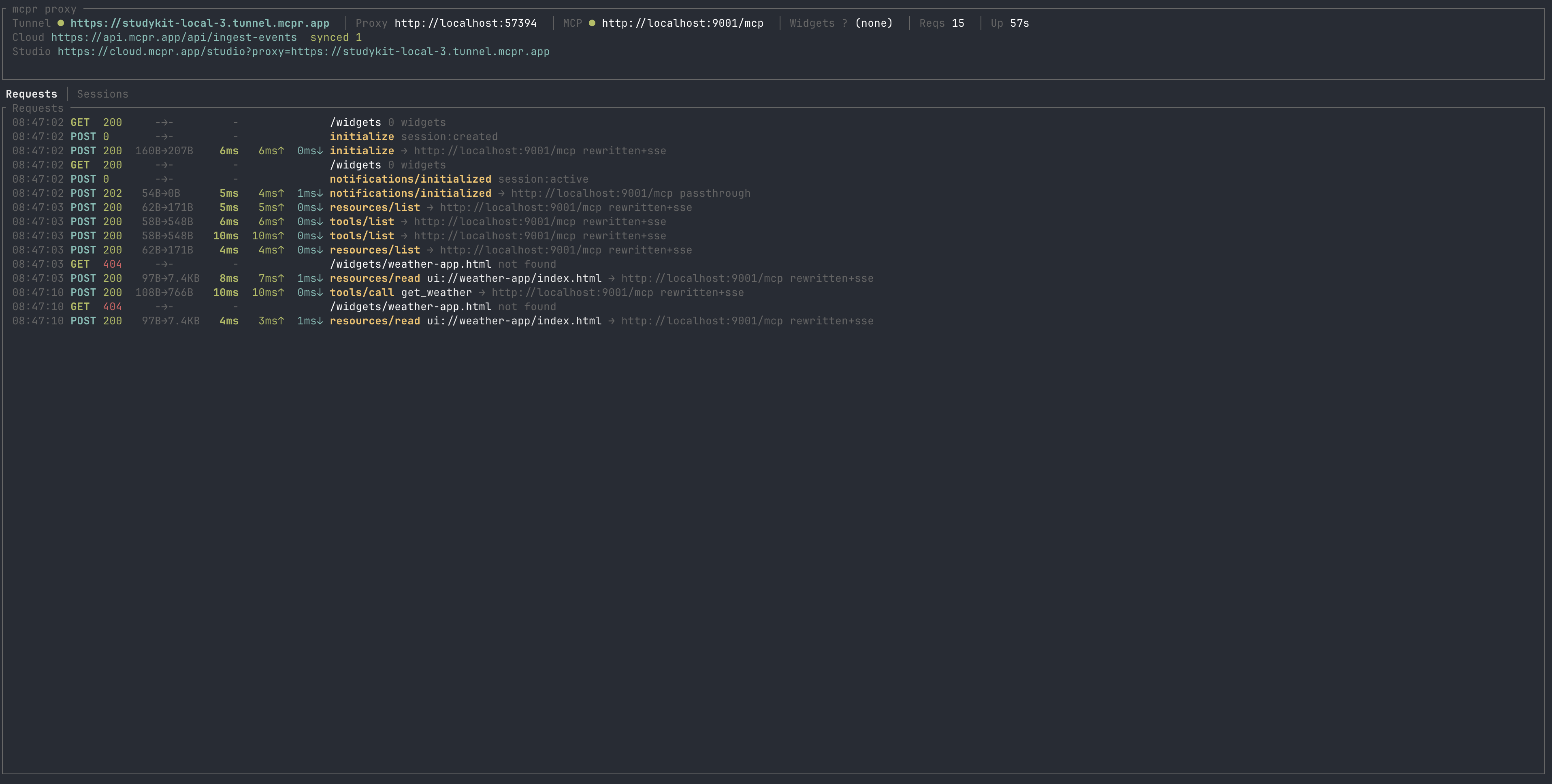
Your proxy is available at http://localhost:3000. mcpr routes all JSON-RPC requests to your backend and injects CSP headers automatically. Use this URL in Claude Desktop, VS Code, Cursor, or any MCP client.
MCP server + widgets
Section titled “MCP server + widgets”If your MCP app serves widgets, merge both services behind one URL:
mcpr run --mcp http://localhost:9000 --widgets http://localhost:4444 --port 3000mcpr detects the request type at the protocol level:
- JSON-RPC requests → your MCP backend (
:9000) - Everything else → your widget server (
:4444)
CSP headers are injected and widget HTML paths are rewritten automatically.
See what’s happening
Section titled “See what’s happening”Add --events to get structured JSON for every MCP interaction:
mcpr run --mcp http://localhost:9000 --events 2>/dev/null | jq{ "ts": "2026-04-02T10:15:30.142Z", "type": "tool_call", "method": "tools/call", "tool": "search_products", "session": "sess_abc123", "latency_ms": 142, "status": "ok"}Even without --events, mcpr shows MCP-level context in the terminal:
21:23:11 POST 200 8.0KB 16ms 15ms↑ 1ms↓ initialize → http://localhost:9000/mcp21:23:11 POST 200 73.6KB 11ms 7ms↑ 4ms↓ tools/list → http://localhost:9000/mcp21:23:11 POST 200 147B 8ms 8ms↑ 0ms↓ tools/call get_weather → http://localhost:9000/mcpUsing a config file
Section titled “Using a config file”Create mcpr.toml in your project root:
mcp = "http://localhost:9000"widgets = "http://localhost:4444"port = 3000Then run:
mcprExpose to the internet (tunnel)
Section titled “Expose to the internet (tunnel)”Need a public URL for ChatGPT or remote AI clients? mcpr includes a built-in tunnel:
mcpr run --mcp http://localhost:9000# → Proxy running# → Tunnel: https://abc123.tunnel.mcpr.appOn first run, mcpr generates a stable tunnel token and saves it to mcpr.toml. Your URL stays the same across restarts. See Tunnels for more.
Production deployment
Section titled “Production deployment”For running mcpr on a server, in Docker, or in Kubernetes — see Production Deployment.
Open Studio
Section titled “Open Studio”Once your proxy is running, open Studio to test tools and preview widgets:
https://cloud.mcpr.app/studio?proxy=https://abc123.tunnel.mcpr.appThe proxy prints the Studio URL in the terminal when it starts.
Next steps
Section titled “Next steps”- Structured Events — observability for every tool call
- CSP & Widgets — understand how mcpr fixes the #1 widget problem
- Tunnels — stable URLs, custom relay servers
- Production Deployment — Docker, Kubernetes, behind Nginx